The Forum works well on MOBILE devices without an app: Just go to: https://forum.tsptalk.com
Please read our AutoTracker policy on the
IFT deadline and remaining active. Thanks!
$ - Premium Service Content (Info) | AutoTracker Monthly Winners | Is Gmail et al, Blocking Our emails?
Find us on: Facebook & X | Posting Copyrighted Material
Join the TSP Talk AutoTracker: How to Get Started | Login | Main AutoTracker Page
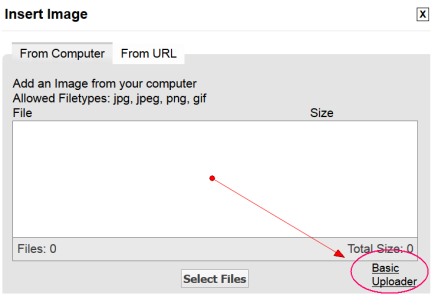
test- this is with firefox, using basic loader, with a jpg file created just now.
test
I have the same problem with the basic loader. File before 9 )October loads up fine and later file starts loading and after it looks like it's done it say's waiting for Tsptalk.com . Seem like I lost permission on anything after the 8th. I've never seen anything date related before. I tried in both IE and Chrome. File from 10/07/16I always use the Basic Uploader if not using Url. The regular uploader has always been flakey to me.
I assume you have tried a new file and not just one from your list of old attachments?I have the same problem with the basic loader. File before 9 )October loads up fine and later file starts loading and after it looks like it's done it say's waiting for Tsptalk.com . Seem like I lost permission on anything after the 8th. I've never seen anything date related before. I tried in both IE and Chrome. File from 10/07/16
I have the same problem with the basic loader. File before 9 )October loads up fine and later file starts loading and after it looks like it's done it say's waiting for Tsptalk.com . Seem like I lost permission on anything after the 8th. I've never seen anything date related before. I tried in both IE and Chrome. File from 10/07/16
Done that reboot chrome IE and restore to earlier date.Pretty strange. It seems to be hit and miss depending on the user and the browser. If you have time, have you or can you try a reboot and / or a different browser?
I'll try that it may be that when I save a file now it's corrupted.It's either date related (unlikely), or file related (likely. [corruption]).
Tom suggests trying a brand new image file. That could answer both questions. If the new file works, you may want to scan your hard drive for errors.
it's to on.Can you check your Settings page: > General Settings > Enhanced Attachment Uploading: >
Make sure it is set to "on".
I use the Basic Uploader also.